Levels Health Review: I Spent $600 on Glucose Monitoring So You Don't Have To

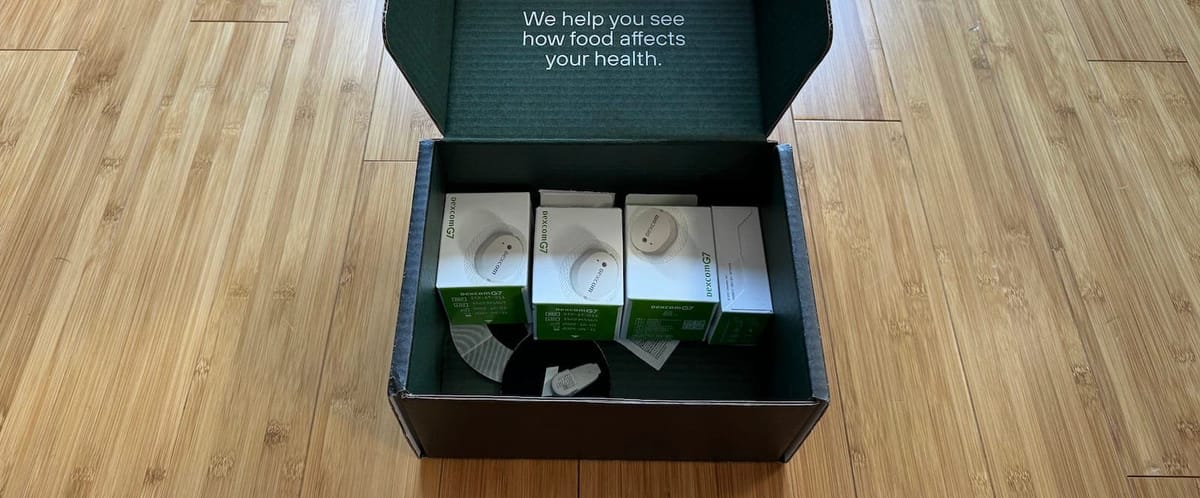
I tried out a Levels Health subscription for two months, spending $600 on the whole thing. Levels is trying to bring diabetic-level glucose monitoring to everyday people, with the idea that you can learn how different foods affect your body.
I had a love-hate relationship with Levels. On one hand, it fed my constant need to optimize everything. I loved experimenting with new foods and routines to see what scored well. On the other hand, there were bugs, annoyances, and a $2,600 annual price tag that's tough to justify.
Cost aside, a short-term commitment makes sense if you can deal with a rough user experience. I'll walk you through how the app works, the problems I ran into, what I learned about my body, and how Levels will fit into my health routine going forward.
The Levels App
The Levels app design is intuitive. A quick look at the home screen and you'll know what the goals are for the day and how you're doing. The app sets three daily goals: 12 hours of glucose stability, one stable meal, and one healthy habit, which includes varying exercise levels and sleep quality.
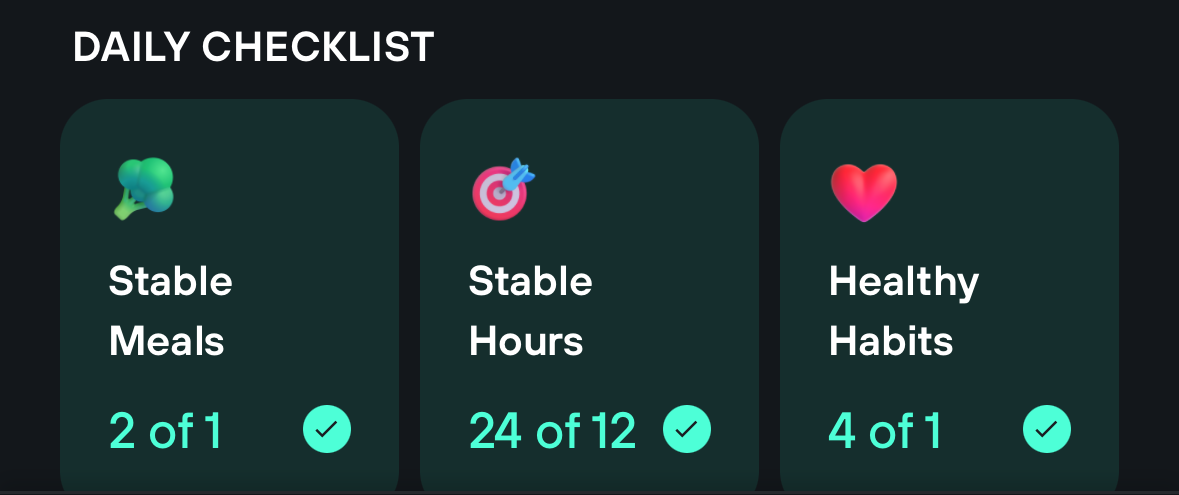
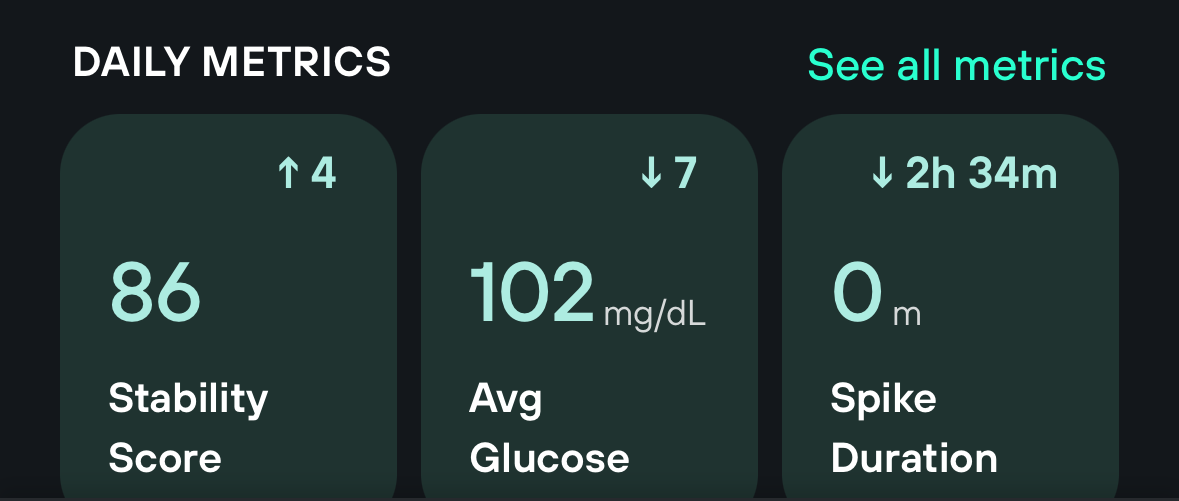
The home screen shows your average glucose, stability score, and spike duration. The goal is to keep your stability score above 85. Basically, you want to avoid spikes, which are any time your glucose rises at least 30 mg/dL and exceeds 110 mg/dL. Exercise-related spikes don't count against you if you log them or import from a device like an Apple Watch.
But the app can be frustratingly laggy. I'm talking five-second waits between tapping a button and something actually happening. It felt like I was using an original iPhone, not a top-of-the-line iPhone 15 Pro. The lag improved with some updates, but then got worse again after others. Annoying, but hopefully temporary.
My favorite feature is meal scores. You log meals with either a "Quick Food Log" (just a photo of your food) or a "Detailed Food Log" where you tag your food items. I prefer the detailed log because it's way more helpful when looking back at your data, but it can be a pain.
Levels combines your body's reaction to both food and exercise into a single score. You'll usually see a shift in glucose about 30 minutes after eating, but the final score (1 to 10) doesn't come until two hours later. This score shows how much your glucose moved from your baseline. Having an algorithm grade how your body handles different foods is brilliant. It turns tweaking your diet into a game, which I'll get into more later.
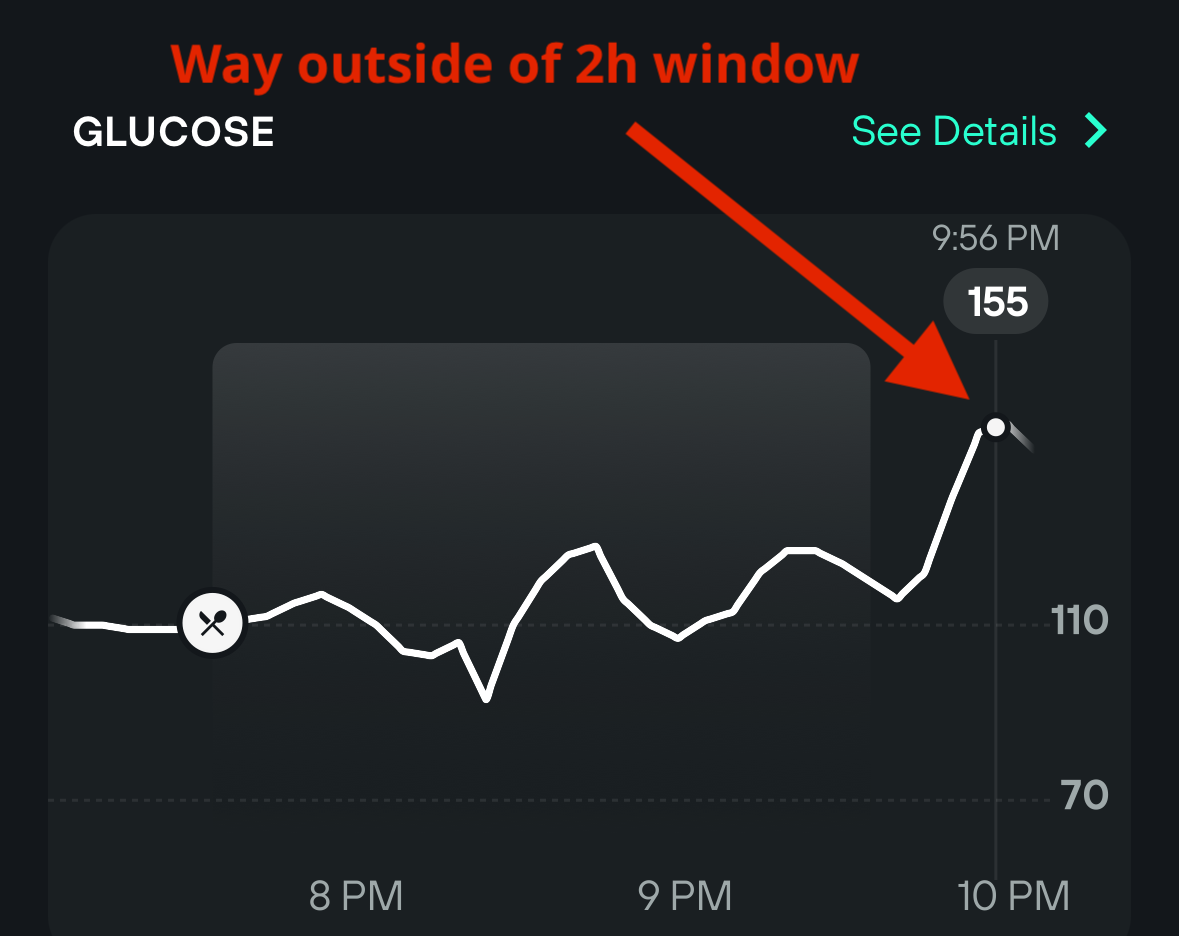
The annoying part of meal scoring is the two-hour window. My levels would often spike around 2.5 to 3 hours after eating with no other changes, which meant my scores looked better than they should have been. I'm not alone either. The top requested feature on the Levels community page is adjustable meal score windows, which seems like a no-brainer.
Levels also serves up easy-to-understand content in the daily timeline, but after a month it moves to the library. Worth noting that a lot of the content is available for free on Levels' blog.
The "my data" tab lets you dig deeper into long-term trends. The meal log interface was rough at first (no food names), but they've updated it. You can now search for meals and see how your body reacted each time you ate that thing.
If Levels fixes the lag, makes food logging easier, and adds customizable meal windows, they'll really have something. At $200/year for app access, the app needs to be smooth and intuitive because you can track your glucose reactions to food for free with the Stelo app (assuming you can get a CGM).
Now, let's talk about how Levels actually gets your glucose data and how big of a hassle CGMs are.
The Problem with CGMs
Levels uses Continuous Glucose Monitors (CGMs) to get your glucose data. CGMs require a sensor that gets inserted under your skin. Once it's in, it sends glucose readings to your phone nonstop.
For $200/month (on top of the Levels annual subscription), Levels gives you three new sensors each month. Levels doesn't make the hardware. They're riding the coattails of existing tech from Dexcom and FreeStyle Libre. But based on my experience, the current CGM tech isn't ready for most people. Here are six reasons why.

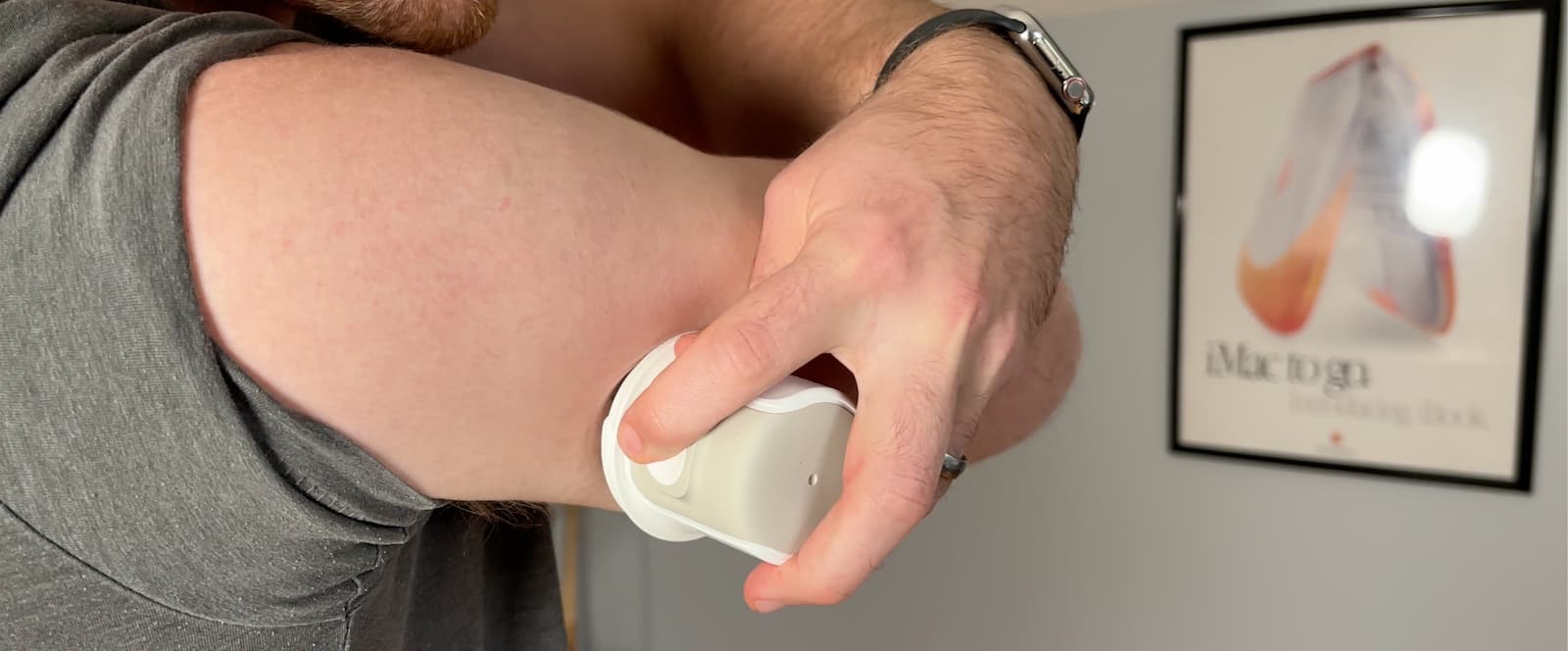
1. Setup: Levels suggests placing the sensor between your triceps and delts. After a quick alcohol wipe, you push a button that inserts a needle and thread-like material into your skin, then the Dexcom G7 sensor needs a 30-minute warm-up period. Out of six sensors, only two were slightly uncomfortable going in. The rest I barely felt.
2. Two Apps Required: You need the Dexcom G7 app to set up the CGM and collect data, then the data gets exported to the Levels app for analysis. The initial setup makes you enable emergency alerts in the Dexcom app, which makes sense for diabetics but is useless for healthy people. The alerts blared every five minutes to tell me about a glucose drop that was probably just me rolling onto the sensor in my sleep. The fix: disable the emergency alerts right after setup, then toggle them back on when you swap to a new sensor (the G7 app won't let you in with them off).
3. Replacements: Each sensor needs to be swapped every 10 days, and pulling it off feels like ripping the world's stickiest bandaid. Trust me, shave the area and use some Aquaphor. It makes a huge difference. And don't be surprised if you see a little blood. The swap process takes about 20 minutes each time and you have to plan for it.
4. Bad Data Early On: The first 48 hours with a new sensor are unreliable. Readings can be off by up to 20% compared to the previous sensor. Things stabilize after a couple days. The G7 has about a 10% error margin overall, but that doesn't matter much since you're mostly looking at how your readings change from your baseline.
5. Discomfort: How comfortable it is depends on where the sensor lands and your body type. If it ends up slightly toward the muscle rather than between the triceps and delts, you'll feel it during weight training. About half the sensors I wore had some level of discomfort. The newer G7 sensors are smaller and more comfortable than the G6, but the adhesive sometimes feels like something pulling at your skin.
6. Constant Awareness: You're always aware the sensor is there. I ripped one out taking my shirt off once, which didn't feel great. And I'm always thinking about my arm position on the couch or in bed because pressure on the sensor doesn't feel good and it gives you bad data.
You'll get used to the CGM annoyances after a month or so. But you'll probably never forget it's in your arm, which makes sense since it's a piece of tech living inside your skin.
7 Things I Learned About My Body
I recommend trying Levels yourself if your budget allows, because everyone's body reacts differently. But here are seven things I learned that you can probably steal and use.
1. Eating out is almost impossible. Restaurant food is carb-heavy, low on protein, and almost always causes a spike. Pizza and Chinese food usually guarantee I'll be on the couch afterwards. I didn't need Levels to tell me that, but it was cool to see the data match how I felt. My favorite Chinese meal caused a 70-point spike that lasted more than two hours.
2. Walking after meals actually works. It doesn't have to be long. Just five minutes turned my 5-6 breakfast score into an 8. Walking won't fix demolishing a plate of cookies, but it can turn a solid spike into a gentle rise.
3. The order you eat food matters. A small portion of rice won't wreck my levels as long as I eat protein and fat first, but it still has an impact.
Cauliflower rice was a solid swap for white rice. A cup of cooked white rice has 37 carbs, while cauliflower rice has just 5. Cauliflower earned a spot in my rotation, but it won't fully replace rice, especially when I'm trying to bulk up.
4. My body is useless at night. The same meal scores a 10 at lunch and a 7 at dinner. Knowing this, I'm trying to eat dinner before 6 PM when possible. I'm also rethinking my morning fasting routine. I always mocked the "breakfast is the most important meal of the day" thing because it came from companies selling sugary cereal, but maybe they were onto something.
5. Siete tortilla wraps are a game-changer. The wraps are made with either cassava flour or almond flour. I have a freezer full and use them for at least three meals per week. Four wraps stuffed with meat and eggs give me an 8 meal score. Four wraps are 48g of carbs, which shows that carbs aren't the enemy. It's the refined flour doing the damage. I also like these wraps because they let me get the calories I need without cutting back.
6. Refined flour is everywhere and delicious. I made cauliflower crust pizza. My body loved it with a 9 meal score. The taste? Not even close to real pizza. No crispness, kind of soggy. There's no good substitute for pizza, so if you like pizza, just do it right and don't do it often.
7. Pasta alternatives are worth trying. No matter how much meat I loaded on my pasta, I'd still see a decent spike. So I tested some alternatives. Palmini noodles were great with alfredo and chicken, and they're low calorie if that matters to you. Chickpea pasta (Banza) was a happy medium. It has fewer carbs and 50% more protein than regular pasta. Not a cure-all, but switching to it brought my scores closer to the 6-8 range. I tried edamame noodles too, which my body loved, but the taste wasn't great with anything I made.
Who Is This For?
I'm fully onboard with Levels' mission. The fact that anyone can prove with data what's working best for their body is awesome. Despite the annoyances and the high price, Levels is worth it if you're into optimization and can deal with the growing pains. But it's only worth the money if you're actually going to change what you eat based on the data.
Two things make the annual subscription less appealing.
First, the pricing should be more flexible. A one-time 60-day kit for $500 would make way more sense. That's enough time to compare and adjust your routine without feeling locked into a subscription. When you frame it as a one-time health test, the price is easier to swallow compared to other lab work.
Second, having all this data in your face every day can make you obsessive about food. Checking in for a month once or twice a year makes more sense than continuous monitoring.
Bottom line: the tech isn't ready for most people yet. Levels has a great future, especially once non-invasive glucose tracking comes to wearables like the Apple Watch or Whoop. For now, I'll probably use Levels once a year for a month to see what's changed, as long as they keep improving the app. That's the sweet spot.
Affiliate Disclosure
I paid for my two-month Levels experience myself and had no prior relationship with the company. After my first review, I reached out about an affiliate link for my readers. If you use any links in this post to sign up, I'll receive a commission. My link isn't unique and can be found elsewhere, but using it supports my content, and I appreciate it.